Quick Video Guide: Using Your i-Dojo Resources
How to access and share the animations - how to download the resources - how to use the library and get more techniques.

Hi everyone! Nik here. I’ve created three short tutorial videos to help you get the most out of the i-Dojo resources. Watch all three videos below and you’ll be up and running in no time!
How to find any resource quickly
How to download the high quality pdf files
How to access and share the animations
Missed last Monday’s resource? Don’t worry - here it is again:

Quick Guide: Using Your i-Dojo Resources
Video 1: Finding i-Dojo in the Koka Kids Library
Learn how to navigate to the i-Dojo section (and other sections) on the Koka Kids Substack page to find all previous techniques and download whatever you need, whenever you need.
Video 2: Downloading the Resources
In this video I’ll show you how download the poster, worksheet, and certificate for Ko-uchi-Gari.
Video 3: Accessing and Sharing the Animations
In this video learn how to watch the technique animations and share them with your judoka. You can access them either by scanning the QR codes on the printed materials or by clicking the links in the email. I’ll show you both methods:
So, I hope that helps!
Any questions? I have a chat open here if you are having any problems with using this month’s resource, please just ask. Chances are you’re not the only one.
If it’s working great for you, or if you are using the Ko-uchi-gari resources then also please do let me know! I’d really love it if any coach or parent out there can get a video of their judoka scanning and using the QR codes. Any takers?
THANK YOU so much to all the coaches who have asked questions and tested the iDojo resources with their parents and judoka, the feedback is so useful.

Until next Monday, have a great week!
Nik
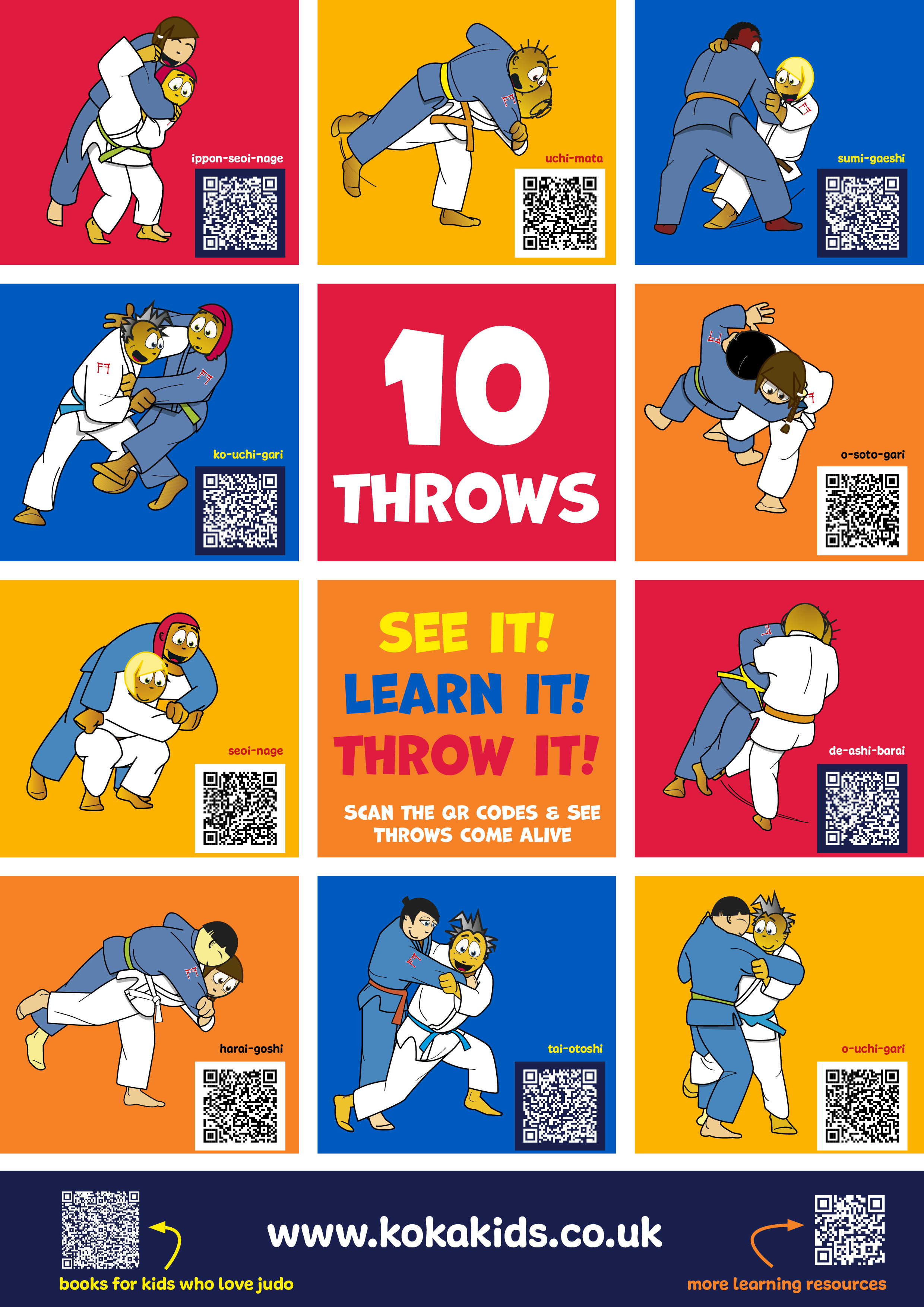
PS. Want to give i-Dojo a quick try? Here’s a printable poster for everyone to download and use. There are ten techniques along with ten animations - just scan the QR Code to watch!